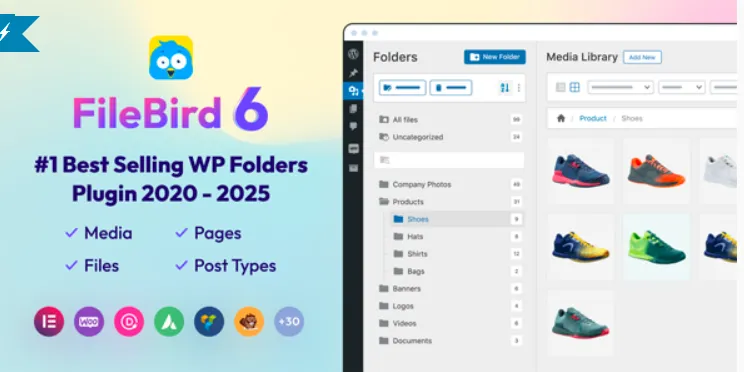

FileBird – WordPress Media Library Folders & File Manager – Proven
Premium WP WordPress Plugin with official licensing and 1 Year updates.
- ⭐ Official License Key & Original Plugin Files
- 🚀 1 Year Official Updates via WordPress Dashboard
- 🔐 100% Genuine License Key
- 🌐 Activate on 1 Domain
- ⏱️ Fast Delivery Within 10 Minutes to 3 Hours
- 🛡️ No GPL • No Nulled • No Cracked Files — Guaranteed 100% Original
Managing media files efficiently is essential for any WordPress website. File Bird – WordPress Media Library Folders & File Manager – Proven offers a robust solution for organizing, accessing, and managing your media library with ease. Designed for Bangladeshi freelancers, agencies, and business owners, this plugin transforms a cluttered media library into a structured, user-friendly workspace. With it, you can streamline your media management process, save time, and enhance your website’s SEO performance.
Key Features of File Bird – WordPress Media Library Folders & File Manager – Proven
Intuitive Drag-and-Drop Folder Organization
Seamlessly create nested folders and subfolders within your media library using drag-and-drop functionality. This feature simplifies categorizing thousands of images, videos, and documents, making them instantly retrievable. It eliminates the chaos of a disorganized library, boosting your productivity and ensuring your media assets are always at your fingertips.
Unlimited Folder Structure
Build as many folders and subfolders as needed without restrictions. This flexibility allows you to organize media based on project, client, or media type, aligning with your specific workflow. The clear folder hierarchy reduces search time and prevents media duplication.
Bulk Upload and Management
Upload multiple files directly into specific folders in a single action. This bulk management capability saves hours when updating your site’s media content, especially for large projects or frequent updates. It also supports easy file replacement and organization without the need for manual sorting.
Advanced Search and Filter Options
Find media files quickly using enhanced search filters. Search by filename, media type, date, or folder location. This feature ensures that even extensive media libraries remain manageable, reducing frustration and accelerating website updates.
Secure and Self-Activatable License
Every purchase includes an official, authentic license key that you can activate securely on your website. Self-activation means you control your license, with no reliance on third-party servers or updates. This guarantees your plugin’s legitimacy, security, and compatibility with your WordPress setup.
Why Choose This Product from WP Store Bangladesh?
- Trusted Source: Official files and genuine license keys ensure a safe, reliable purchase experience.
- Local Support: Designed for Bangladesh’s digital marketplace, tailored for freelancers, agencies, and developers.
- High Compatibility: Fully compatible with the latest WordPress versions, ensuring seamless integration with your existing setup.
- Time Saving: Efficient media organization tools that minimize manual work and streamline website management.
- Enhanced Security: Original files and official license activation safeguard your website from vulnerabilities associated with nulled or cracked software.
Who Should Use This?
- Freelancers and Web Developers: Simplify media management for multiple client websites, saving time and reducing errors.
- Agencies: Organize large media libraries across various projects for faster delivery and better client satisfaction.
- Business Owners: Manage product images, banners, and media assets efficiently without technical hurdles.
- Website Administrators: Improve SEO by maintaining a clean, well-organized media library that promotes faster site loading and better indexing.
License & Activation
This product includes original files along with an official authentic license key for secure self-activation. No restrictions or hidden limits exist; activate it confidently on your WordPress site following straightforward instructions provided after purchase. Your license ensures ongoing updates and support, safeguarding your investment.
Compatibility Notes
Designed to work seamlessly with the latest WordPress versions, this plugin integrates smoothly with your existing media library without conflicts. It is compatible with popular themes and other plugins, ensuring a hassle-free experience for Bangladeshi website owners and developers.
Frequently Asked Questions
Is this plugin compatible with all WordPress themes?
Yes. File Bird is designed to integrate smoothly with any standard WordPress theme, ensuring consistent media management regardless of your website design.
Can I create nested folders?
Absolutely. The plugin supports unlimited nesting levels, allowing you to organize media hierarchically for maximum clarity.
How do I activate the license?
After purchase, you receive a license key. Simply enter this key in the plugin’s activation panel within your WordPress dashboard to activate and receive updates.
Does this plugin support bulk uploads?
Yes. You can upload multiple files directly into specific folders, saving time during large media updates.
Will updates be available after activation?
Yes. Your official license entitles you to ongoing updates, ensuring compatibility and security enhancements.
Is the plugin secure and reliable?
Definitely. With genuine files and an official license, your site remains protected from vulnerabilities often associated with nulled or cracked plugins.
Get Started with File Bird – WordPress Media Library Folders & File Manager – Proven
Enhance your media management today. Purchase from WP Store Bangladesh to access original files, official licenses, and dedicated support. Simplify your website’s media organization—save time, improve SEO, and boost your productivity with this proven plugin designed specifically for Bangladeshi WordPress users.
| SKU | FML |
|---|---|
| Category | WordPress Plugins |
| License | Single site / standard use |
| Delivery | Fast Delivery Within 10 Minutes to 3 Hours |
| Last Updated | October 18, 2026 |
No reviews yet
Be the first to review this product after purchase.
সম্পর্কিত প্রোডাক্ট
-
 -74%
WordPress Plugins
-74%
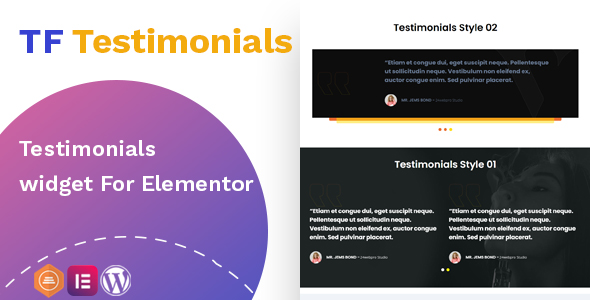
WordPress PluginsTestimonials widget For Elementor
-
 -50%
WordPress Plugins
-50%
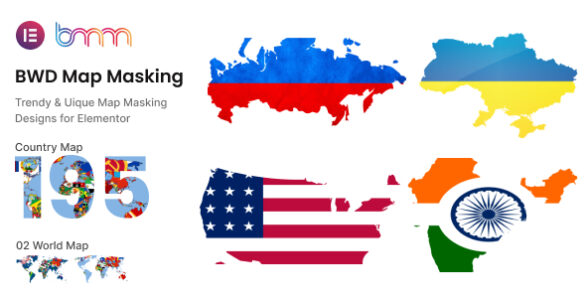
WordPress PluginsBWD Map Masking addon for elementor
-
 -70%
WordPress Plugins
-70%
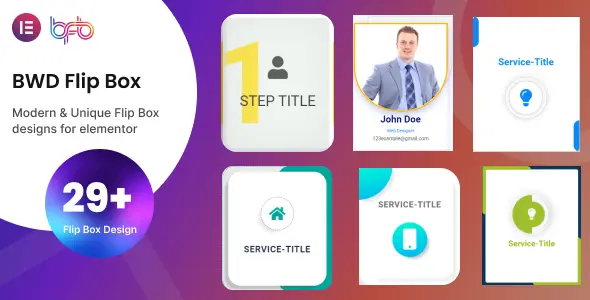
WordPress PluginsBWD Flip Box addon for elementor
-
 -98%
-98%