

Leopard – WordPress Offload Media
Premium WP WordPress Plugin with official licensing and 1 Year updates.
- ⭐ Official License Key & Original Plugin Files
- 🚀 1 Year Official Updates via WordPress Dashboard
- 🔐 100% Genuine License Key
- 🌐 Activate on 1 Domain
- ⏱️ Fast Delivery Within 10 Minutes to 3 Hours
- 🛡️ No GPL • No Nulled • No Cracked Files — Guaranteed 100% Original
Leopard – WordPress Offload Media is a powerful plugin designed to optimize your website’s media management. Built for Bangladeshi freelancers, agencies, and business owners, this tool helps you efficiently offload media files from your server to external storage, reducing server load and enhancing website performance. With seamless integration and secure self-activation, it ensures your media files are handled safely and reliably.
Key Features of Leopard – WordPress Offload Media
Automated Media Offloading
Automatically transfer images, videos, and audio files from your WordPress media library to cloud storage or external servers. This automation saves time and eliminates manual uploads, allowing you to focus on content creation and business growth.
Supports Multiple Cloud Storage Options
Connect effortlessly with popular cloud providers such as Amazon S3, Google Cloud Storage, or DigitalOcean Spaces. These options give you flexibility to choose the most cost-effective, scalable, and reliable storage solution for your website.
Secure Self-Activation with Authentic License
Receive original product files along with an official license key for secure self-activation. This guarantees you a trusted, legal, and safe installation, safeguarding your website from nulled or cracked software vulnerabilities.
Real-Time Media Sync
Sync new media uploads instantly with your cloud storage, ensuring your website media library and external storage stay synchronized. This feature reduces downtime and guarantees media availability even during traffic spikes.
Optimized for Speed and Reliability
Reduce server bandwidth consumption and storage costs by offloading large media files. The plugin is built to handle high volumes of files efficiently, enhancing your site’s speed and user experience.
Detailed Logging and Monitoring
Track all media offload activities with detailed logs, giving you full visibility into file transfers. This transparency helps in troubleshooting and maintaining smooth media management workflows.
Why Choose This Product from WP Store Bangladesh?
- Trusted Purchase: Original product files and official license key ensure safety and authenticity.
- Local Support & Guidance: We provide clear self-activation instructions tailored for Bangladeshi users, ensuring a hassle-free setup.
- Optimized for Bangladesh Websites: Designed to improve media management for local WordPress sites, reducing server costs and boosting performance.
- Secure & Reliable: No nulled or cracked software—only legitimate, fully-supported plugins for peace of mind.
Who Should Use This?
- Freelancers: Streamline media handling to deliver faster, more reliable websites to clients.
- Agencies: Manage multiple websites efficiently by offloading media and reducing server loads.
- Developers: Integrate seamless media offloading into custom WordPress projects for improved site performance.
- Business Owners: Enhance your website’s speed and user experience without increasing hosting costs.
License & Activation
This product includes original files and an official authentic license key, ensuring a secure, legitimate purchase. Self-activation is straightforward, following the provided guidance, with no limitations on usage or site count.
Compatibility Notes
Leopard – WordPress Offload Media is compatible with standard WordPress configurations. It is designed to work seamlessly with popular cloud providers and does not require specific PHP versions or server setups beyond typical hosting environments.
Frequently Asked Questions
Can I use Leopard – WordPress Offload Media on multiple sites?
Yes, with a valid license key, you can activate and use the plugin on multiple websites, depending on the license type purchased.
Is my data secure when using this plugin?
Absolutely. The plugin uses secure API connections to cloud storage providers, ensuring your media files are transferred and stored safely.
What cloud storage options are supported?
The plugin supports Amazon S3, Google Cloud Storage, and DigitalOcean Spaces, giving you flexibility based on your needs and budget.
How easy is it to set up?
Following the detailed activation guide, most users set up the plugin within minutes, with no technical expertise required.
Will this plugin slow down my website during media transfer?
No, the plugin operates asynchronously, offloading media in the background without impacting your website’s speed or user experience.
What happens if the media offload process encounters an error?
The plugin provides detailed logs and notifications, allowing you to troubleshoot and resolve issues quickly without disrupting your website operations.
Get Started with Leopard – WordPress Offload Media
Secure your website’s media management today with Leopard – WordPress Offload Media. Purchase now for a trusted, efficient solution that enhances performance and reduces hosting costs, backed by original files and authentic licensing from WP Store Bangladesh.
| Version | 5.1.0 |
|---|---|
| SKU | LEO |
| Category | WordPress Plugins |
| License | Single site / standard use |
| Delivery | Fast Delivery Within 10 Minutes to 3 Hours |
| Last Updated | August 20, 2026 |
No reviews yet
Be the first to review this product after purchase.
সম্পর্কিত প্রোডাক্ট
-
 -79%
WordPress Plugins
-79%
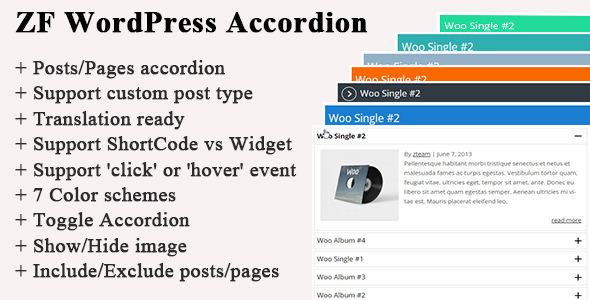
WordPress PluginsZF WordPress Accordion
-
 -70%
WordPress Plugins
-70%
WordPress PluginsFielder – WordPress Custom Fields for Elementor
-
 -74%
WordPress Plugins
-74%
WordPress PluginsSliderKits - Advanced Elementor Slider Widgets Plugin
-
 -67%
WordPress Plugins
-67%
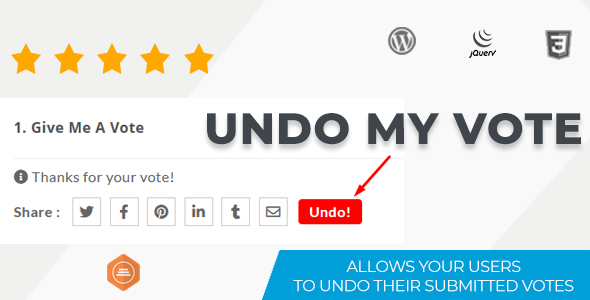
WordPress PluginsUndo My Vote Addon For BWL Pro Voting Manager