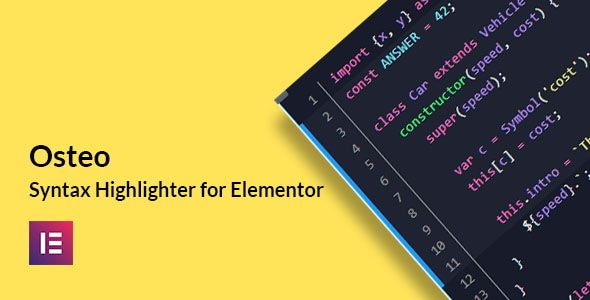

Osteo Syntax Highlighter for Elementor
Premium WP WordPress Plugin with official licensing and 1 Year updates.
- ⭐ Official License Key & Original Plugin Files
- 🚀 1 Year Official Updates via WordPress Dashboard
- 🔐 100% Genuine License Key
- 🌐 Activate on 1 Domain
- ⏱️ Fast Delivery Within 10 Minutes to 3 Hours
- 🛡️ No GPL • No Nulled • No Cracked Files — Guaranteed 100% Original
Enhance your coding experience on WordPress websites with Osteo Syntax Highlighter for Elementor. Designed specifically for Bangladesh freelancers, agencies, and developers, this plugin transforms raw code snippets into visually appealing, easy-to-read formats within Elementor. Whether you are showcasing code, creating technical blogs, or developing custom features, this tool simplifies syntax highlighting to improve readability and professionalism.
Key Features of Osteo Syntax Highlighter for Elementor
Intuitive Syntax Highlighting
Automatically applies color schemes to your code snippets, making complex code structures instantly comprehensible. This reduces errors and enhances collaboration, especially when sharing code with clients or team members.
Supports Multiple Programming Languages
Includes extensive language support such as HTML, CSS, JavaScript, PHP, and more. This versatility ensures you can display a wide range of code types confidently, without compatibility worries.
Easy Integration with Elementor
Seamlessly embeds within Elementor pages and posts, providing a smooth editing experience. No need for complicated setups—just drag, drop, and customize your code blocks effortlessly.
Customizable Themes and Styles
Offers multiple pre-built themes and the ability to tailor the highlight colors, fonts, and backgrounds. This personalization helps maintain your website’s branding consistency and aesthetic appeal.
Responsive and Mobile-Friendly
Ensures your code snippets look sharp on all devices, from desktops to smartphones. This responsiveness improves user engagement and readability for visitors on the go.
Self-Activation with Secure License
Includes an authentic license key for safe self-activation, eliminating security concerns associated with nulled or cracked software. This guarantees you full control and ongoing updates without risking your website’s security.
Why Choose This Product from WP Store Bangladesh?
- Trusted Purchase: Original files and official license keys ensure authenticity and security.
- Local Support: Designed for Bangladesh developers, freelancers, and agencies, with guidance tailored to local needs.
- Quality Assurance: Premium plugin with reliable performance, tested for compatibility with Elementor and WordPress.
- Self-Activation: Hassle-free license activation with clear instructions, no middlemen or delays.
Who Should Use This?
- Developers: Want to display clean, professional code snippets on client websites or portfolios.
- Freelancers: Need quick, reliable syntax highlighting for WordPress projects without technical glitches.
- Agencies: Manage multiple websites requiring consistent, easy-to-maintain code presentation.
- Business Owners: Showcase technical content or tutorials with visually appealing code blocks that boost credibility.
License & Activation
This product comes with original files and an official authentic license key. You can self-activate securely following straightforward instructions, ensuring your site remains safe and compliant with licensing terms. No cracked or nulled files are involved, providing peace of mind for long-term website health.
Compatibility Notes
Designed specifically for Elementor and WordPress, this plugin integrates smoothly with current website setups. It supports all major browsers and devices, ensuring consistent performance across platforms. For optimal results, keep Elementor and WordPress updated, but no specific version constraints are necessary.
Frequently Asked Questions
Can I use Osteo Syntax Highlighter for Elementor on multiple websites?
Yes, with the purchased license, you can activate the plugin on multiple sites, depending on the license type. Contact us for details on multi-site licensing options.
Is this plugin compatible with other code plugins?
It is designed to work seamlessly within Elementor. Compatibility with other code or syntax plugins depends on specific setups, but generally, it integrates well without conflicts.
Does the plugin support custom themes and styles?
Yes, it offers extensive customization options, allowing you to match your website’s branding and aesthetic preferences.
How do I activate the license?
Simple instructions are provided for secure self-activation. Enter your official license key in the plugin dashboard to unlock full features and updates.
Is technical support available?
Yes, WP Store Bangladesh offers support for activation, setup, and troubleshooting to ensure your experience remains smooth and hassle-free.
What is the benefit of choosing WP Store Bangladesh for this plugin?
We provide original files, authentic licensing, and dedicated local support tailored for the Bangladesh market, ensuring a trustworthy purchase experience.
Get Started with Osteo Syntax Highlighter for Elementor
Upgrade your WordPress site today. Purchase from WP Store Bangladesh for guaranteed authenticity, easy activation, and reliable performance. Enhance your code presentation and impress your clients with professional-looking, easy-to-read code snippets.
| SKU | OSH |
|---|---|
| Category | WordPress Plugins |
| License | Single site / standard use |
| Delivery | Fast Delivery Within 10 Minutes to 3 Hours |
| Last Updated | October 21, 2026 |
No reviews yet
Be the first to review this product after purchase.
সম্পর্কিত প্রোডাক্ট
-
 -70%
WordPress Plugins
-70%
WordPress PluginsAdd to Cart Button for WooCommerce – Ader
-
 -70%
WordPress Plugins
-70%
WordPress PluginsOsteo Progressbar for Elementor
-
 -87%
WordPress Plugins
-87%
WordPress PluginsWooCommerce Dynamic Pricing and Discounts – Asana Plugins
-
 -73%
WordPress Plugins
-73%
WordPress PluginsLottier – Lottie Animated Images for WordPress Editor