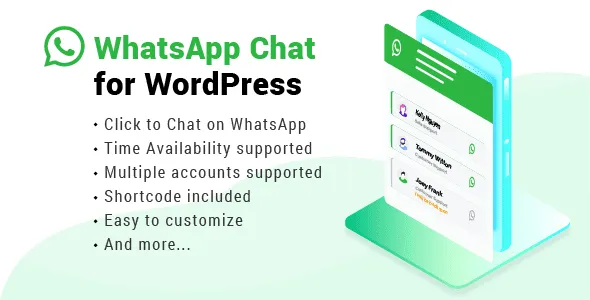

WhatsApp Chat For WordPress
Premium WP WordPress Plugin with official licensing and 1 Year updates.
- ⭐ Official License Key & Original Plugin Files
- 🚀 1 Year Official Updates via WordPress Dashboard
- 🔐 100% Genuine License Key
- 🌐 Activate on 1 Domain
- ⏱️ Fast Delivery Within 10 Minutes to 3 Hours
- 🛡️ No GPL • No Nulled • No Cracked Files — Guaranteed 100% Original
Enhance your website’s customer engagement with Whats App Chat For Word Press. This powerful plugin allows Bangladesh freelancers, agencies, and business owners to integrate seamless WhatsApp communication directly into their WordPress sites, enabling instant, real-time chat support. With this tool, you can transform visitor inquiries into loyal customers, boost conversion rates, and deliver personalized support effortlessly, all while maintaining full control over your chat experience.
Key Features of Whats App Chat For Word Press
Easy Integration with WordPress
Set up the WhatsApp chat feature quickly with minimal technical effort. This plugin is designed to seamlessly embed into your existing WordPress website, ensuring a smooth user experience for your visitors and hassle-free setup for you. Save time and avoid complex coding—just activate and customize.
Customizable Chat Button
Design your chat button to match your website’s branding with multiple style options. Adjust colors, positions, and call-to-action prompts. This ensures your chat widget attracts attention without disrupting your site’s aesthetic, encouraging more visitors to start conversations.
Self-Activation with Official License
Receive original plugin files along with a verified, authentic license key. Self-activate the plugin securely without relying on third-party activation services. This guarantees your site’s safety, compliance, and ongoing access to updates and support from WP Store Bangladesh.
Multiple Chat Button Placement Options
Position your WhatsApp chat button anywhere on your site—bottom right, header, footer, or specific pages. This flexibility allows you to target key user touchpoints, increasing the likelihood of customer interaction and improving overall user experience.
Multi-Device Compatibility
Ensure your visitors can connect via WhatsApp regardless of device—desktop, tablet, or mobile. The plugin adapts perfectly to all screen sizes, providing a consistent, accessible chat experience that keeps you connected with your audience at all times.
Secure and Reliable Communication
By integrating official WhatsApp API capabilities, the plugin offers secure messaging channels. This guarantees customer data privacy and reliable message delivery, building trust and fostering long-term relationships with your clients.
Why Choose This Product from WP Store Bangladesh?
- Trusted Seller: Original plugin files with authentic license keys ensure a secure purchase experience.
- Official Activation: Self-activation process guarantees compliance and ongoing support from WP Store Bangladesh.
- Local Support & Guidance: Designed specifically for Bangladesh businesses, with tailored guidance for easy setup and use.
- Quality Assurance: Digital products are thoroughly tested, nulled-free, and ready for immediate deployment.
Who Should Use This?
- Freelancers: Add instant WhatsApp support to boost client engagement and streamline project inquiries.
- Agencies: Offer your clients a reliable, integrated live chat solution that enhances customer service.
- Developers: Incorporate a professional, customizable WhatsApp chat feature into custom projects or themes.
- Business Owners: Improve lead generation and customer support directly through your website’s interface.
License & Activation
Receive original plugin files along with an official authentic license key. Self-activate the plugin securely on your website using straightforward instructions provided by WP Store Bangladesh. No fake licenses, no nulled files—just genuine, reliable software designed for Bangladesh users.
Compatibility Notes
This plugin is fully compatible with standard WordPress installations and is tested to integrate smoothly with popular themes and other plugins. It’s designed to work reliably across all devices and browsers, ensuring your visitors always have access to instant WhatsApp support.
Frequently Asked Questions
Is this plugin compatible with all WordPress themes?
Yes, it is designed to seamlessly integrate with most themes without conflicts, thanks to its flexible placement options.
How do I activate the plugin securely?
After purchase, you will receive a license key. Simply follow the step-by-step instructions to activate the plugin within your WordPress dashboard, ensuring security and access to updates.
Can I customize the appearance of the chat button?
Absolutely. The plugin offers multiple styling options, including colors, positioning, and call-to-action text, to match your branding needs.
Will this work on mobile devices?
Yes, the plugin is fully responsive, ensuring visitors on smartphones and tablets can easily initiate WhatsApp chats from your website.
Is customer data protected?
Yes, by leveraging official WhatsApp API features, the plugin maintains high standards of data security and privacy for your users.
What support do I get after purchase?
WP Store Bangladesh provides detailed setup guidance and ongoing support to ensure you maximize the plugin’s benefits for your website.
Get Started with Whats App Chat For Word Press
Ready to elevate your customer support and boost engagement? Purchase the Whats App Chat For Word Press plugin today. Simplify communication, increase conversions, and deliver a personalized experience that your Bangladesh visitors will appreciate. Activate your authentic license now and start connecting instantly.
| Version | 3.8.1 |
|---|---|
| SKU | WHCH |
| Category | WordPress Plugins |
| License | Single site / standard use |
| Delivery | Fast Delivery Within 10 Minutes to 3 Hours |
| Last Updated | August 17, 2026 |
No reviews yet
Be the first to review this product after purchase.
সম্পর্কিত প্রোডাক্ট
-
 -73%
WordPress Plugins
-73%
WordPress PluginsLottier – Lottie Animated Images for WordPress Editor
-
 -67%
WordPress Plugins
-67%
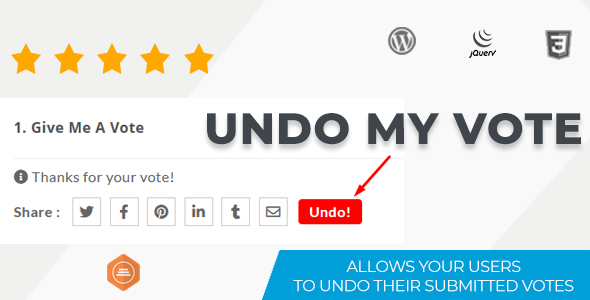
WordPress PluginsUndo My Vote Addon For BWL Pro Voting Manager
-
 -74%
WordPress Plugins
-74%
WordPress PluginsSliderKits - Advanced Elementor Slider Widgets Plugin
-
 -67%
WordPress Plugins
-67%
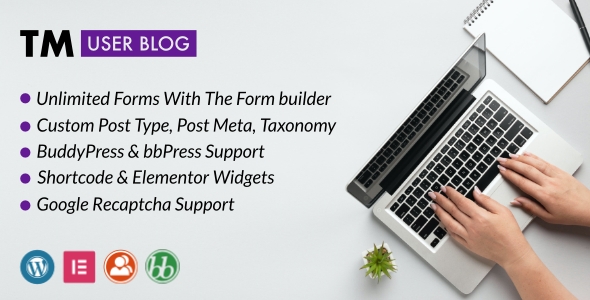
WordPress PluginsTM User Blog - WordPress Front End Post Submission Plugin