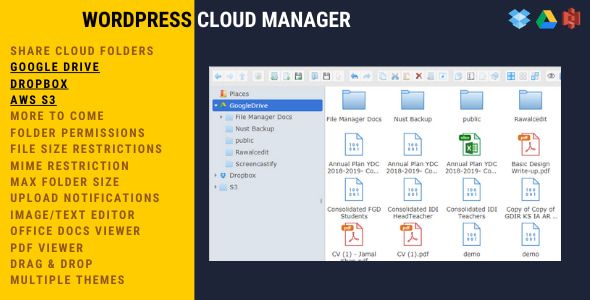

WordPress Cloud Manager | Dropbox – Google Drive – S3 Folder Sharing
Premium WP WordPress Plugin with official licensing and 1 Year updates.
- ⭐ Official License Key & Original Plugin Files
- 🚀 1 Year Official Updates via WordPress Dashboard
- 🔐 100% Genuine License Key
- 🌐 Activate on 1 Domain
- ⏱️ Fast Delivery Within 10 Minutes to 3 Hours
- 🛡️ No GPL • No Nulled • No Cracked Files — Guaranteed 100% Original
Manage and share your WordPress site’s cloud storage effortlessly with Word Press Cloud Manager | Dropbox – Google Drive – S3 Folder Sharing. Designed for Bangladesh freelancers, agencies, and developers, this plugin simplifies the integration of popular cloud services directly within your WordPress dashboard. Whether you’re managing client projects or maintaining your own site, this tool ensures seamless, secure access to your cloud folders without complex setups or third-party dependencies.
Key Features of Word Press Cloud Manager | Dropbox – Google Drive – S3 Folder Sharing
Unified Cloud Storage Access
Connect your WordPress site to Dropbox, Google Drive, and Amazon S3 from a single, intuitive interface. This eliminates the need to switch between multiple platforms, saving you time and reducing errors. Now, you can easily browse, upload, and manage files stored across different cloud services directly within your WordPress environment.
Secure Self-Activation and Authentic Licensing
Receive original product files along with an official, authentic license key. The self-activation process guarantees your site remains secure, protected from nulled or cracked software, and compliant with licensing requirements. This ensures your digital assets are safe and your website remains trustworthy to your clients.
Automatic Folder Synchronization
The plugin enables automatic synchronization of selected cloud folders with your WordPress media library. This means any updates or new files added to your cloud storage are instantly reflected on your site, facilitating smooth content management and reducing manual uploads.
Granular Access Control
Set detailed permissions for each connected cloud account. Control who can view, upload, or modify files—perfect for team collaboration or client projects—without risking unauthorized access. This level of control enhances security and operational efficiency.
Built for Performance and Compatibility
Optimized for smooth operation within WordPress, the plugin ensures minimal loading times and reliable performance even on resource-constrained hosting environments. It supports the latest WordPress standards, making integration straightforward for Bangladesh-based developers and site owners.
Why Choose This Product from WP Store Bangladesh?
- Trustworthy Purchase: Original files and official license keys guarantee authenticity and security.
- Local Support: Designed for Bangladesh freelancers, agencies, and businesses, ensuring relevance and ease of use.
- Premium Quality: Built with robust technology and tested for seamless cloud integration within WordPress.
- Self-Activation: No reliance on third-party or nulled software, safeguarding your website’s integrity.
Who Should Use This?
- Freelancers and Agencies: Manage multiple client sites with integrated cloud storage solutions.
- Developers: Streamline deployment workflows by linking cloud folders directly to WordPress sites.
- Business Owners: Securely share product images, documents, or media files stored on Dropbox, Google Drive, or S3 with your team or clients.
License & Activation
This product includes original files and an official, authentic license key. Self-activation is straightforward, guiding you through secure setup without any restrictions or hidden limits. You can confidently activate and use the plugin on your website, knowing it is fully licensed and supported.
Compatibility Notes
The plugin is compatible with standard WordPress environments. It supports the latest WordPress versions and cloud service APIs, ensuring reliable performance. For optimal results, use a hosting environment that meets WordPress best practices.
Frequently Asked Questions
Can I connect multiple cloud accounts at once?
Yes, the plugin allows you to connect and manage multiple Dropbox, Google Drive, and Amazon S3 accounts simultaneously within your WordPress dashboard.
Is my data secure with this plugin?
Absolutely. The plugin uses secure OAuth authentication for cloud connections, and your license key activation ensures only authorized access. No third-party or nulled components are involved.
Can I synchronize specific folders automatically?
Yes, you can select specific folders for automatic synchronization, keeping your WordPress media library up to date with cloud storage changes.
Does this plugin support large files?
It is optimized to handle large files efficiently, making it suitable for media-heavy websites and eCommerce stores.
What if I need help with setup?
WP Store Bangladesh provides detailed documentation and dedicated support to assist with installation and configuration, ensuring a smooth experience.
Will this plugin work with my hosting environment?
It is compatible with most standard WordPress hosting setups. For specific questions, contact our support team for tailored advice.
Get Started with Word Press Cloud Manager | Dropbox – Google Drive – S3 Folder Sharing
Enhance your website management today with this secure, reliable, and easy-to-use cloud folder sharing plugin. Purchase now from WP Store Bangladesh to enjoy original files, authentic licensing, and seamless integration designed specifically for Bangladesh’s digital landscape.
| Version | 1.3 |
|---|---|
| SKU | CMD |
| Category | WordPress Plugins |
| License | Single site / standard use |
| Delivery | Fast Delivery Within 10 Minutes to 3 Hours |
| Last Updated | September 4, 2026 |
No reviews yet
Be the first to review this product after purchase.
সম্পর্কিত প্রোডাক্ট
-
 -70%
WordPress Plugins
-70%
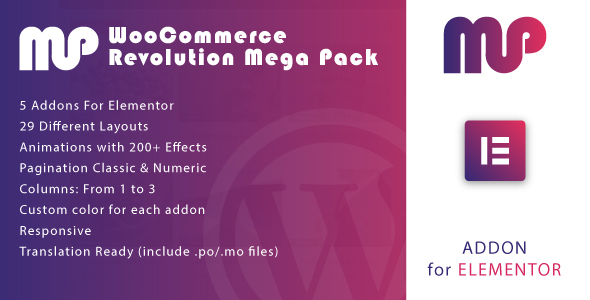
WordPress PluginsWooCommerce Revolution Mega Pack for Elementor WordPress Plugin
-
 -67%
WordPress Plugins
-67%
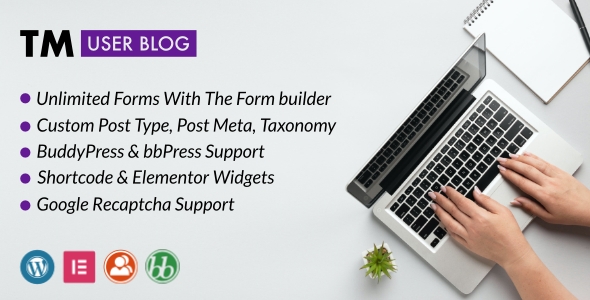
WordPress PluginsTM User Blog - WordPress Front End Post Submission Plugin
-
 -67%
WordPress Plugins
-67%
WordPress PluginsTMfeed - WordPress Embeddable Post Widgets For Elementor
-
 -72%
WordPress Plugins
-72%
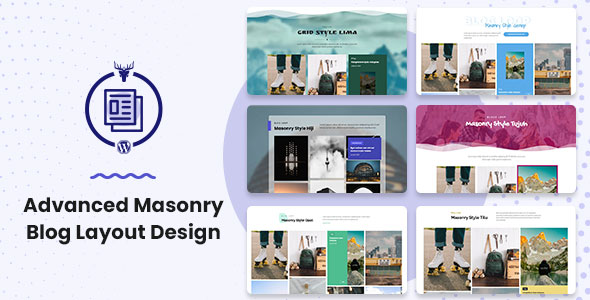
WordPress PluginsAdvanced Masonry Blog Layout Design