

WPCommander – Media Library Folders for WordPress
Premium WP WordPress Plugin with official licensing and 1 Year updates.
- ⭐ Official License Key & Original Plugin Files
- 🚀 1 Year Official Updates via WordPress Dashboard
- 🔐 100% Genuine License Key
- 🌐 Activate on 1 Domain
- ⏱️ Fast Delivery Within 10 Minutes to 3 Hours
- 🛡️ No GPL • No Nulled • No Cracked Files — Guaranteed 100% Original
Managing media files efficiently is essential for WordPress website owners, developers, and agencies in Bangladesh looking to streamline their media library. WPCommander – Media Library Folders for Word Press offers a robust solution to organize, categorize, and access media files effortlessly. This plugin transforms a cluttered media library into a well-structured, easy-to-navigate system, saving time and reducing frustration during website updates and content management.
Key Features of WPCommander – Media Library Folders for WordPress
Advanced Folder Management
Organize your media files into custom folders and subfolders. This feature simplifies locating images, videos, and documents, allowing you to work faster, especially on large sites with extensive media collections. It eliminates the chaos of a flat media library, making media management intuitive and less time-consuming.
Drag-and-Drop Interface
Rearranging media files and folders is effortless with a user-friendly drag-and-drop interface. This practical feature reduces the need for complex searches, enabling quick sorting and categorization. It enhances workflow efficiency for busy developers and content creators.
Bulk Operations for Media Files
Select multiple files or folders simultaneously to move, delete, or organize in bulk. This capability accelerates routine media management tasks, providing a significant time-saver for agencies managing multiple projects or large media libraries.
Seamless Integration with WordPress Media Library
WPCommander integrates smoothly into the native WordPress media dashboard, ensuring a familiar interface. This seamless integration means no steep learning curve, enabling immediate productivity and reducing training time for your team.
Enhanced Search and Filtering
Find specific media files quickly using advanced search filters. Whether by filename, date, or folder location, this feature makes media retrieval straightforward. It improves site performance by reducing the time spent searching for media assets.
Secure Self-Activation with Authentic License
You receive original plugin files with an official license key, ensuring your plugin is genuine and fully supported. Self-activation is secure and straightforward, giving you peace of mind about software authenticity and safety from nulled or cracked versions.
Why Choose This Product from WP Store Bangladesh?
- Trusted Source: Official files and authentic license keys guarantee a secure, reliable product for your WordPress site.
- Localized Support: Designed for Bangladesh freelancers and agencies, with guidance for self-activation and usage.
- Cost-Effective: Premium features at an affordable price, offering excellent value for managing media efficiently.
- Optimized for Performance: Light, streamlined code that doesn’t slow down your website even with extensive media libraries.
Who Should Use This?
- Freelancers and Agencies: To organize media assets for multiple client websites, improving workflow and delivery speed.
- Developers: For building or maintaining complex websites with large media libraries needing structured management.
- Business Owners: To streamline content updates, reduce media search time, and maintain a professional digital presence.
License & Activation
Each purchase includes original plugin files and an official authentic license key. Self-activation is secure, straightforward, and does not impose any hidden limits. You can activate the plugin on your website confidently, knowing it is a trusted, genuine product from WP Store Bangladesh.
Compatibility Notes
This plugin is designed to work seamlessly with the latest versions of WordPress. It integrates directly with the native media library, ensuring compatibility and stability across your website’s media management system.
Frequently Asked Questions
Can I use WPCommander on multiple websites?
Yes, with a valid license, you can activate the plugin on multiple sites, depending on the license type purchased. Please check the license terms for details.
Does this plugin slow down my website?
No, WPCommander is optimized for performance, and its lightweight code ensures your media library remains fast and responsive.
Is technical support included?
Yes, purchasing from WP Store Bangladesh includes access to support and updates, ensuring your plugin functions smoothly and securely.
Can I upgrade to newer versions later?
Yes, updates are available for supported license holders, keeping your plugin compatible with the latest WordPress features.
Is the plugin compatible with WooCommerce?
Absolutely. WPCommander works well with WooCommerce, helping you organize product images and media files effectively.
How do I activate the plugin after purchase?
Simply enter your official license key in the plugin activation panel within your WordPress dashboard. Clear instructions are provided for a smooth setup process.
Get Started with WPCommander – Media Library Folders for WordPress
Enhance your media management today with WPCommander. Secure your copy now, benefit from an authentic license, and experience a more organized, efficient WordPress media library. Click the purchase button to streamline your website’s media assets with confidence.
| Version | 2.6.0 |
|---|---|
| SKU | WML |
| Category | WordPress Plugins |
| License | Single site / standard use |
| Delivery | Fast Delivery Within 10 Minutes to 3 Hours |
| Last Updated | August 21, 2026 |
No reviews yet
Be the first to review this product after purchase.
সম্পর্কিত প্রোডাক্ট
-
 -79%
WordPress Plugins
-79%
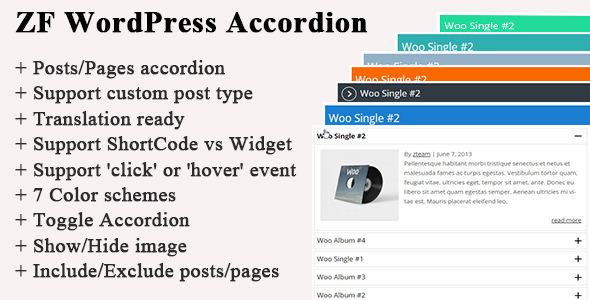
WordPress PluginsZF WordPress Accordion
-
 -70%
WordPress Plugins
-70%
WordPress PluginsUper – Back to Top Button for Elementor
-
 -70%
WordPress Plugins
-70%
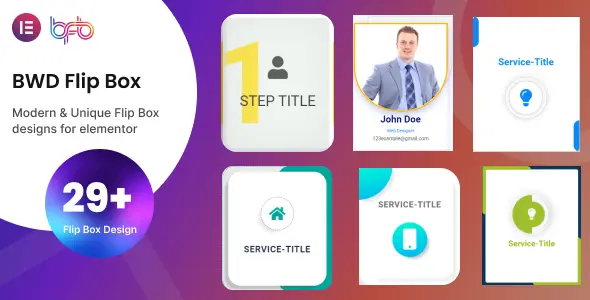
WordPress PluginsBWD Flip Box addon for elementor
-
 -67%
WordPress Plugins
-67%
WordPress PluginsTMfeed - WordPress Embeddable Post Widgets For Elementor